
 Engin Kurutepe
A clock alarm stays at the same time while the Sun moves. Sunset in a mid-latitude city can move by one to two minutes a day in spring and autumn, which adds up to half an hour within a few weeks, so an evening walk planned for "before dark" needs regular adjusting. A solar alarm follows the event instead: it rings 20 minutes before sunset, or at civil dawn, whatever the clock says that day.
Choose the event that matches what you do
The right event depends on how much light you need.
- Civil dawn or civil dusk is when the Sun is 6° below the horizon. Before civil dawn and after civil dusk, most outdoor activities need artificial light. It's a good trigger for a bike commute or a run.
- Sunrise and sunset mark the Sun's upper edge crossing an open horizon. Use them when you want direct sunlight, such as watching the sunset itself.
- Golden hour and blue hour suit photography and evening walks when the light quality matters.
- Solar noon is when the Sun is highest. It's useful for a midday break outside, or as a reminder to avoid the strongest UV.
- Solar midnight is the darkest moment of the night. In northern summers, when the sky never gets fully dark, it's the closest thing to "night" that an alarm can target.
- Sun elevation rings when the Sun reaches a height you choose, rising or setting. Use it when no named event fits, such as "the Sun is 10° up and clears the roofs".
Most routines need a lead time. A rider who needs 15 minutes to get ready sets the alarm 15 minutes before civil dawn, not at it.
Examples
Weekday commute by bike. Repeat on Monday to Friday only. Set the alarm for 15 minutes before civil dawn so you leave as it gets light. At the weekend, the alarm stays quiet.
Evening walk before dark. Set an alarm 45 minutes before civil dusk. In winter it will ring in the middle of the afternoon; in summer, after dinner.
A workday that follows the light. Some people set several alarms to structure the day: one at sunrise to start, one at solar noon for a break outside, one an hour before sunset to finish. Give each alarm a name so you know which one is ringing.
Watching the sunset. Ten minutes before sunset gives time to walk to a window or a nearby viewpoint. If sunset colour matters to you, the minimum quality option, where offered, only rings when the forecast reaches your threshold.
Set it up in SolarWatch
Solar alarms require SolarWatch Gold.
- Tap the bell on the dashboard, or the Solar Alarms tile on the Current Location dashboard.
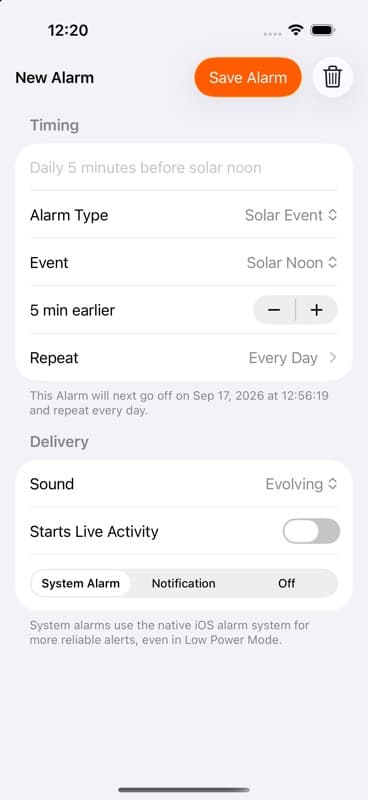
- Add an alarm, choose Solar Event, and pick the event, or choose Elevation for a height of your own.
- Choose whether to alert at the event, before it or after it, and by how much.
- Under Repeat, choose Every Day or individual weekdays. Check the next occurrence shown in the editor.
- Choose the delivery: System Alarm uses the iPhone's own alarm system on supported iOS versions; Notification is quieter but can be held back by Focus or Low Power Mode. Turn on Starts Live Activity if you want a Live Activity to open when the alarm fires.
- Save the alarm.
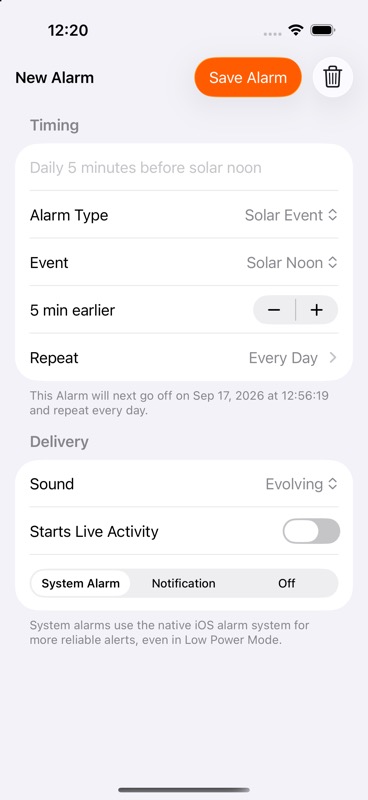
Solar alarms use your current location, so they adapt when you travel. Check the next occurrence after arriving somewhere far away. Some events don't happen every day: at high latitudes in summer, civil dusk or nautical twilight may never occur, and a chosen sun height may be out of reach in winter. The editor shows when that's the case.
If an alarm doesn't ring, check its switch, delivery method, repeat days, notification or alarm permission, and location access. When an alarm arrives on Apple Watch, tap Open as prompted so the next one can be scheduled.
Create and manage solar alarms · Timing options · Light Remaining
Keep reading
All guides
1 min read
Create and manage solar alarms
Create and manage solar alarms · SolarWatch
1 min read
Timing options
Timing options · SolarWatch
3 min read
How to find civil twilight times for flying, cycling and outdoor work
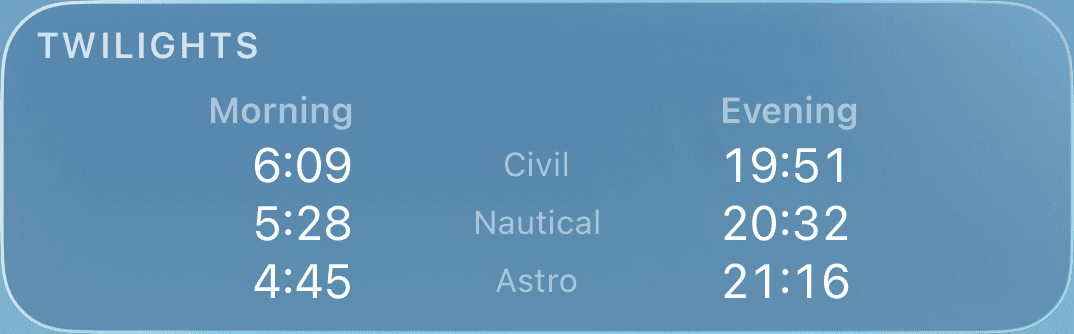
Civil twilight is when the Sun is less than 6° below the horizon. Learn how long it lasts, why pilots use it to define night, and how to look it up for any place.