SolarWatch User Guide
- AR
- Classic Solar Data
- Current
- Daylight
- Solar Eclipses
- Light Remaining
- Magic Light
- Noon/Midnight
- Muslim Prayer Times
- Sunrise & Sunset Quality
- Seasons
- Shadows
- Solar Alarms
- Solar Wheel
- Sunrise & Sunset
- Twilights
- UV & Vitamin D
- Yearly Overview
- Start here
- Add and choose cities
- Edit the dashboard
- Choose your tiles
- Add iPhone widgets and Watch complications
- Create and manage solar alarms
- Timing options
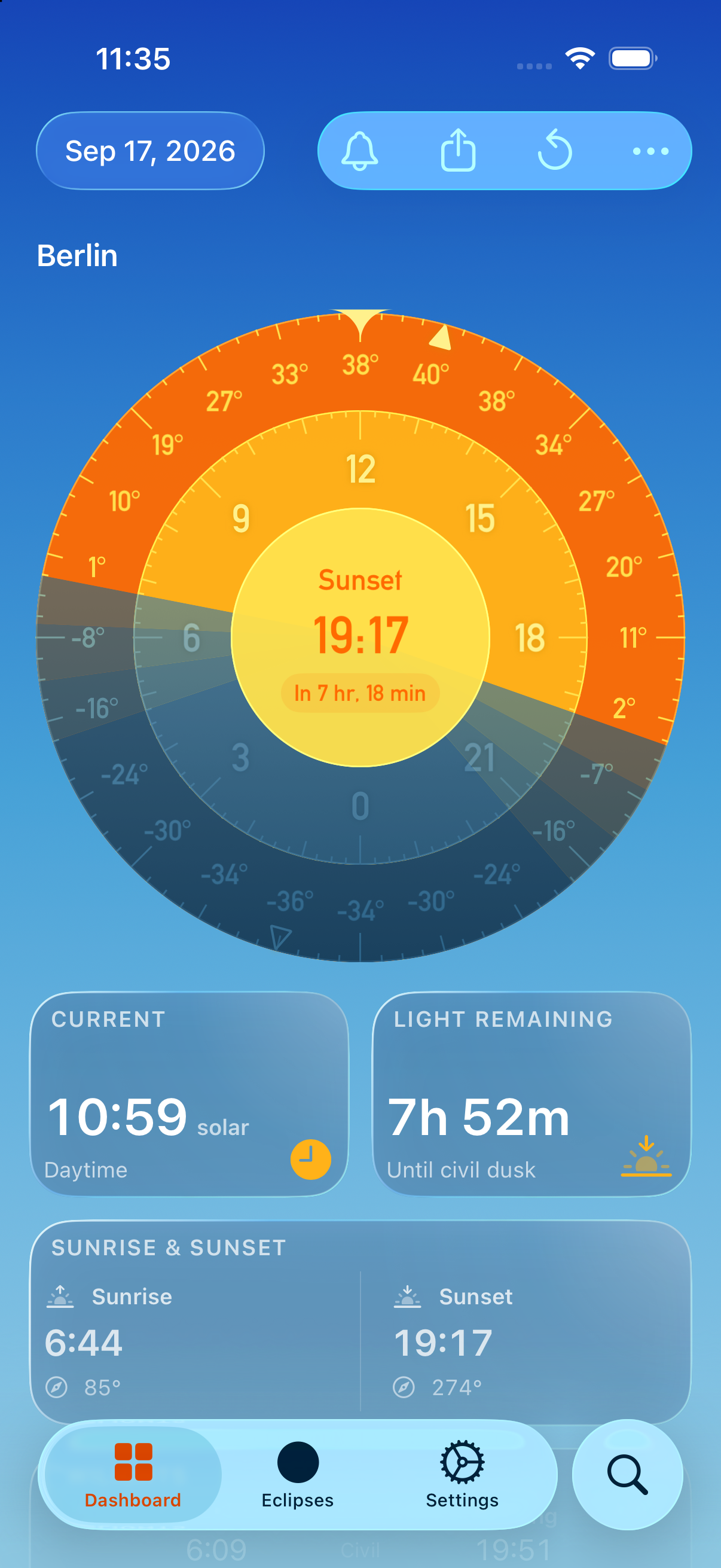
SolarWatch helps you plan around the sun: when it rises and sets, how much light is left, and when the light is best for photography. Open the Dashboard for your current location or another city. Each tile shows one part of the day. You can choose which tiles appear.
For a first look, start with Solar Wheel, Sunrise & Sunset, and Light Remaining. Tap a tile with an arrow to open more information. Some features require SolarWatch Gold; locked tiles offer an upgrade.
Times belong to the selected city's time zone. The date button lets you explore another day. If you change the time or date, tap the curved reset arrow to return to the current time. Weather and light-quality forecasts need an internet connection and may not be available for distant dates.