
SolarWatch User Guide
- AR
- Classic Solar Data
- Current
- Daylight
- Solar Eclipses
- Light Remaining
- Magic Light
- Noon/Midnight
- Muslim Prayer Times
- Sunrise & Sunset Quality
- Seasons
- Shadows
- Solar Alarms
- Solar Wheel
- Sunrise & Sunset
- Twilights
- UV & Vitamin D
- Yearly Overview
- Start here
- Add and choose cities
- Edit the dashboard
- Choose your tiles
- Add iPhone widgets and Watch complications
- Create and manage solar alarms
- Timing options
Shows the day's light and dark periods around a clock. Small gives a quick summary; larger views reveal the wheel. Configure its center and outer ring as described below.
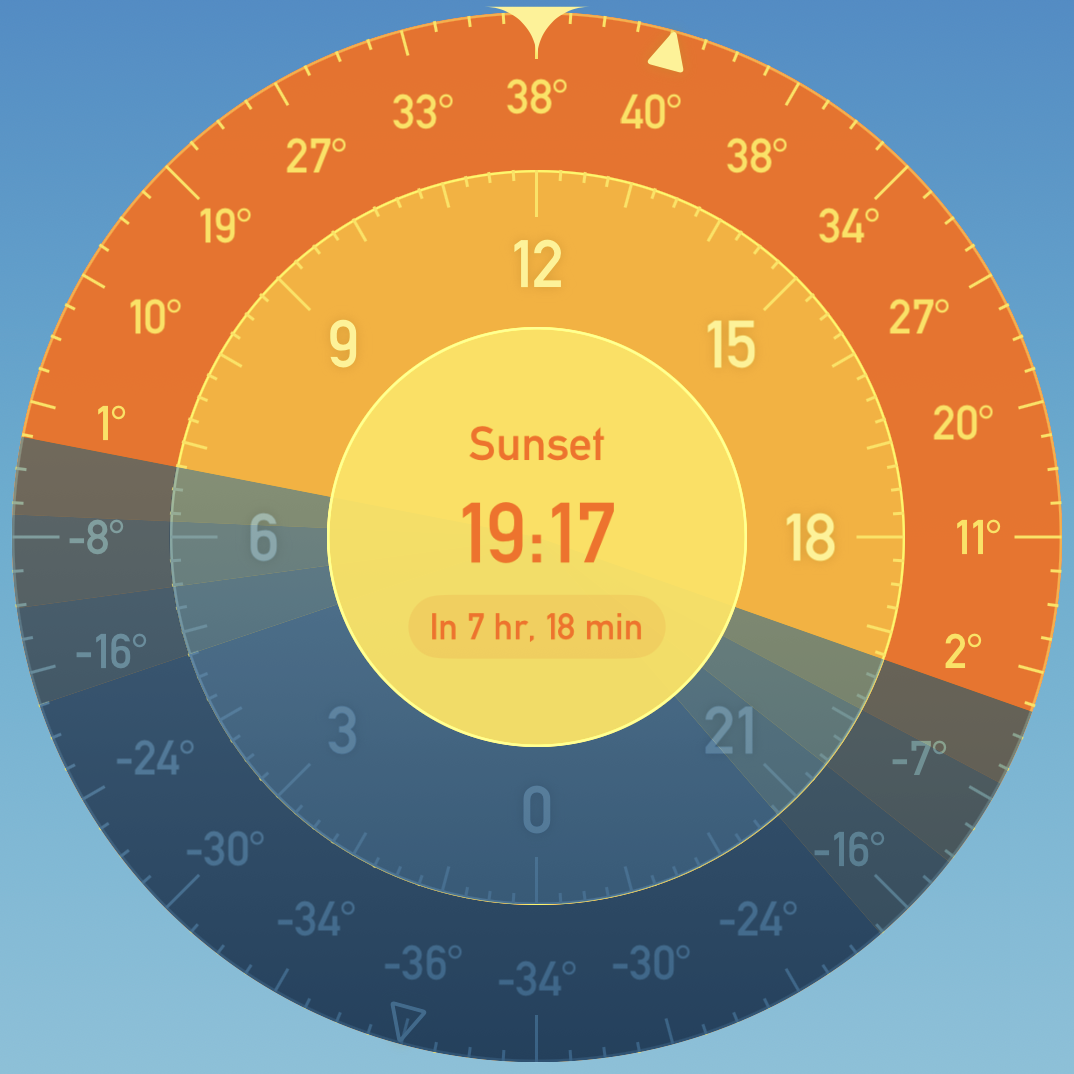
Sizes: Small, Medium, Large, Extra Large
More tile options
Solar Wheel: open Settings → Main Screen. Its configuration lets you choose Hub Data (the center) and Ring Data (the outside). Depending on the view, choices include weather, sun position, shadow ratio, prayer times, health, photography, and the next light transition; Empty leaves an area clear. You can show golden and blue hours, choose true or magnetic north, enable rotating the wheel to change the date, and choose noon-to-noon jumps when exploring beyond a day either side of today. Available choices can depend on Gold.
Choose your tiles · Edit the dashboard · Add iPhone widgets and Watch complications